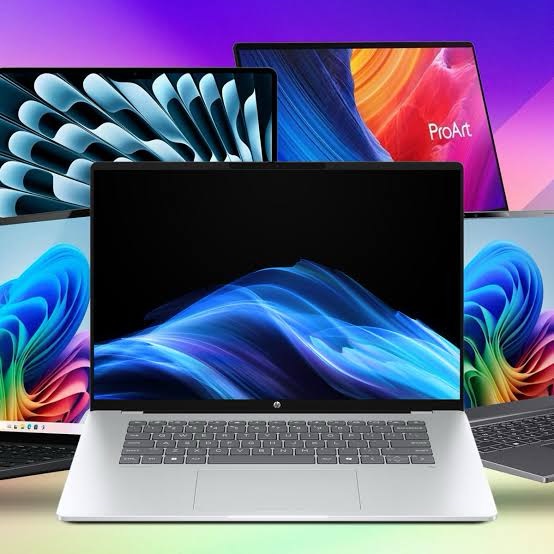
The days when “budget laptop” meant sluggish performance and dim, low-resolution screens are long gone. In 2026, you can find genuinely capable machines for well under $1,000—many even under $500—that handle everyday computing with ease. Whether you need a reliable workhorse for school, a versatile 2-in-1, or even a budget-friendly gaming rig, there’s an affordable option waiting for you.
After analyzing expert reviews from PCMag, CNET, IGN, and other trusted sources, here are the top 10 budget laptops you can buy in 2026.
Acer Aspire 3 (A315-24P) – Best Budget Laptop for Most Buyers
Price: Under $500
The Acer Aspire 3 consistently tops expert lists as the best all-around budget laptop, and for good reason. It delivers smooth everyday performance, modern Wi-Fi 6 connectivity, and impressive battery life at a price that’s hard to beat .
While it won’t win any design awards—the chassis is basic plastic—the Aspire 3 handles web browsing, office work, and video streaming without breaking a sweat. The base configuration offers excellent value, though the higher-end models face stiffer competition .
Pros:
· Smooth everyday operation
· Excellent battery life
· Current Wi-Fi 6 support
· Aggressive starting price
Cons:
· Dated, somewhat flimsy design
· Display quality is just okay
· Limited performance headroom for demanding tasks
Best for: Students, home office workers, and anyone needing a reliable daily driver without spending a fortune.
Acer Chromebook Plus 514 – Best Chromebook
Price: Around $350
If your computing needs revolve around the web—browsing, email, Google Docs, streaming—the Acer Chromebook Plus 514 is arguably the best budget laptop money can buy. It achieved an incredible 12 hours and 50 minutes in battery testing, outlasting nearly every competitor .
The Chromebook Plus designation ensures solid specs (Intel Core i3, 8GB RAM) and includes bonus perks like 12 months of Google AI Pro with 2TB of cloud storage . The 14-inch touchscreen display is sharp enough for everyday use, and the keyboard is surprisingly comfortable for extended typing sessions .
Pros:
· Exceptional battery life
· Solid performance for web-based tasks
· Comfortable keyboard
· Includes Google AI Pro benefits
Cons:
· No keyboard backlighting
· Limited to ChromeOS (can’t run traditional Windows apps)
· Webcam quality is average
Best for: Students, casual users, and anyone who lives primarily in a web browser.
Acer Aspire 14 AI – Best Budget Copilot Plus PC
Price: $500–$620
Acer’s Aspire 14 AI is making waves as the most affordable Copilot Plus PC on the market. Powered by Intel’s Lunar Lake processor (Core Ultra 5 226V) with 40 TOPS of NPU performance for local AI tasks, it’s a glimpse into the future of Windows computing .
Beyond the AI credentials, this laptop delivers exceptional value with long battery life, competitive performance, and a useful selection of ports. CNET’s reviewer found it at Costco for just $500—an incredible price for a next-gen AI laptop .
Pros:
· Cheapest Copilot Plus PC available
· Exceedingly long battery life
· Strong performance for the price
· Solid port selection
Cons:
· Display is a bit dull
· Design is uninspired
Best for: Early adopters who want AI features without paying premium prices.
Dell 15 – Best Ultra-Budget Windows Laptop
Price: Around $280
If your budget is truly tight, the Dell 15 delivers a surprisingly capable Windows 11 experience for under $300. It features a large 15.6-inch 1080p screen, decent battery life (8 hours 19 minutes in testing), and a clever curved lid design that slightly elevates the keyboard for better ergonomics .
While the keyboard is a bit bouncy and performance won’t win any races, the Dell 15 avoids the serious drawbacks that plague some ultra-cheap laptops. CNN Underscored named it the best budget Windows laptop after testing half a dozen affordable models .
Pros:
· Extremely affordable
· Large 1080p display
· Decent battery life for the price
· Ergonomic design
Cons:
· Keyboard feels bouncy
· Plastic construction
· Limited performance
Best for: Budget-conscious buyers who need Windows compatibility on a shoestring.
Lenovo ThinkBook 16 Gen 7 – Best Budget Business Laptop
Price: Around $800
The Lenovo ThinkBook 16 Gen 7 proves you don’t need to spend $1,500 for a capable work laptop. It offers a comfortable keyboard, decent port selection, and reliable performance for productivity tasks. The large 16-inch screen provides ample workspace for multitasking .
While the display won’t impress creative professionals (it’s an economy-class panel), and it lacks Wi-Fi 6E or 7 support, the ThinkBook delivers where it matters for business users: reliability and comfort .
Pros:
· Affordable for a business-class laptop
· Comfortable, travel-friendly keyboard
· Decent array of ports
· Large 16-inch screen
Cons:
· Basic display quality
· Wi-Fi 6, not 6E or 7
· Not for creative work
Best for: Remote workers, business travelers, and anyone who prioritizes keyboard comfort.
Acer Aspire 16 AI – Best Big-Screen Budget Laptop
Price: $550–$700
If screen real estate matters to you, the Acer Aspire 16 AI is an Editors’ Choice winner for good reason. This 16-inch laptop features a sharp 120Hz display, an unusually high-res 1440p webcam, and excellent build quality that exceeds expectations for the price .
Powered by Qualcomm’s Snapdragon X chip, it delivers competitive performance and long battery life. The port selection is generous, and the overall package offers tremendous value .
Pros:
· Colorful 120Hz display
· High-resolution 1440p webcam
· Broad port selection
· Excellent value for a 16-inch laptop
Cons:
· Stiff keyboard
· Speakers lack punch for the size
Best for: Students, professionals, and anyone who wants a large screen without a large price tag.
Dell Inspiron 14 2-in-1 (7445) – Best Budget Convertible
Price: Around $680
For those who want the flexibility of a touchscreen convertible, the Dell Inspiron 14 2-in-1 offers a sturdy, polished build with decent speakers and respectable battery life. It handles everyday tasks competently and can fold into tablet mode for note-taking or media consumption .
However, be aware that cheaper competitors offer better display quality and overall performance. The Inspiron’s screen leaves something to be desired, and it lacks faster USB4 or 20Gbps ports .
Pros:
· Sturdy, polished build
· Respectable battery life
· Impressive speakers for the size
· Flexible 2-in-1 design
Cons:
· Display quality is mediocre
· Performance lags behind competitors
· No USB4 support
Best for: Students and casual users who want a convertible laptop on a budget.
Acer Nitro V ANV16 – Best Gaming Laptop Under $1,000
Price: Under $1,000
Gaming on a budget doesn’t mean settling for integrated graphics. The Acer Nitro V ANV16 packs an AMD Ryzen 7 8845HS processor and Nvidia GeForce RTX 4060 GPU, delivering solid 1080p gaming performance with high settings in most titles .
The 16-inch 165Hz display is well-matched to the hardware, and Acer was generous with storage (1TB NVMe SSD) and RAM (16GB). Battery life is the main compromise—expect less than an hour of gaming on battery—but that’s true of most gaming laptops .
Pros:
· Excellent performance for the price
· 165Hz high-refresh-rate display
· 1TB storage included
· RGB keyboard
Cons:
· Limited port selection
· Disappointing battery life
· Heavy at 5.5 pounds
Best for: Budget-conscious gamers who prioritize performance over portability.
Lenovo LOQ 15 – Best Mid-Range Gaming Laptop
Price: $1,300–$1,500
Stretching the definition of “budget,” the Lenovo LOQ 15 offers impressive value for gamers who can spend a bit more. It features an RTX 5060 GPU with Multi Frame Generation support, 32GB of RAM, and a high-refresh-rate 1080p display .
The trade-offs are predictable: mediocre battery life and a screen that’s not very bright (300 nits). But for gaming performance, this is one of the best values in its class .
Pros:
· RTX 5060 with next-gen features
· 32GB of RAM (plenty for gaming)
· High refresh rate display
· Good value overall
Cons:
· Mediocre battery life
· Limited screen brightness
· Needs to stay plugged in for gaming
Best for: Gamers with a slightly higher budget who want RTX 50-series performance.
- MSI Katana 15 HX – Best Value Gaming Laptop
Price: Around $970
Powered by Nvidia’s entry-level GeForce RTX 5050, the MSI Katana 15 HX delivers smooth 60fps gaming with or without DLSS 4 support. PCMag awarded it an Editors’ Choice for its winning combination of performance and value .
The keyboard is comfortable with RGB lighting, connectivity is varied, and the overall package is hard to beat at this price point. Just be aware that the 512GB storage fills up quickly with modern games, and the display is somewhat dim .
Pros:
· Capable gaming performance
· RTX 5050 with DLSS 4 support
· Comfortable RGB keyboard
· Good port selection
Cons:
· Only 512GB storage
· Dim display
· Chunky 15-inch chassis
Best for: Gamers who want dedicated graphics without breaking the $1,000 mark.
How to Choose the Right Budget Laptop
Windows vs. Chromebook
This is the most important decision you’ll make. Chromebooks run ChromeOS, which is essentially a browser-based operating system. They’re perfect if you spend your time in Google Docs, Gmail, and web browsing. They offer better battery life, simpler operation, and often lower prices .
Windows laptops are necessary if you need specific applications that don’t have web versions, such as Adobe Creative Cloud, specialized business software, or traditional PC games .
RAM and Storage Matter Most
Budget laptops rarely have cutting-edge processors. What matters more is having enough RAM (at least 8GB, preferably 16GB) and a solid-state drive (SSD) rather than a slow mechanical hard drive. An SSD alone makes a massive difference in everyday responsiveness .
Battery Life Is a Best-Case Estimate
Manufacturer battery claims like “up to 12 hours” represent optimal conditions. In real-world use, most budget laptops deliver 4-8 hours of mixed use. Chromebooks typically outperform Windows laptops in battery longevity .
Don’t Expect Premium Build Quality
At these prices, you’re getting plastic chassis, not aluminum unibodies. Budget laptops are generally less durable than premium models, so consider investing in a laptop sleeve or bag for protection .
The Bottom Line
The best budget laptop for you depends entirely on your needs. For most people, the Acer Aspire 3 offers the best balance of price, performance, and reliability. Chromebook users should look no further than the Acer Chromebook Plus 514. And if you’re a gamer on a budget, the Acer Nitro V ANV16 delivers the best gaming performance under $1,000.
Remember that “budget” doesn’t mean “compromised” in 2026. With smart shopping, you can get a laptop that handles everyday computing with ease for well under $600—and sometimes under $300. Choose the laptop that matches your primary use case, and you’ll be satisfied for years to come.
 Tech Nova