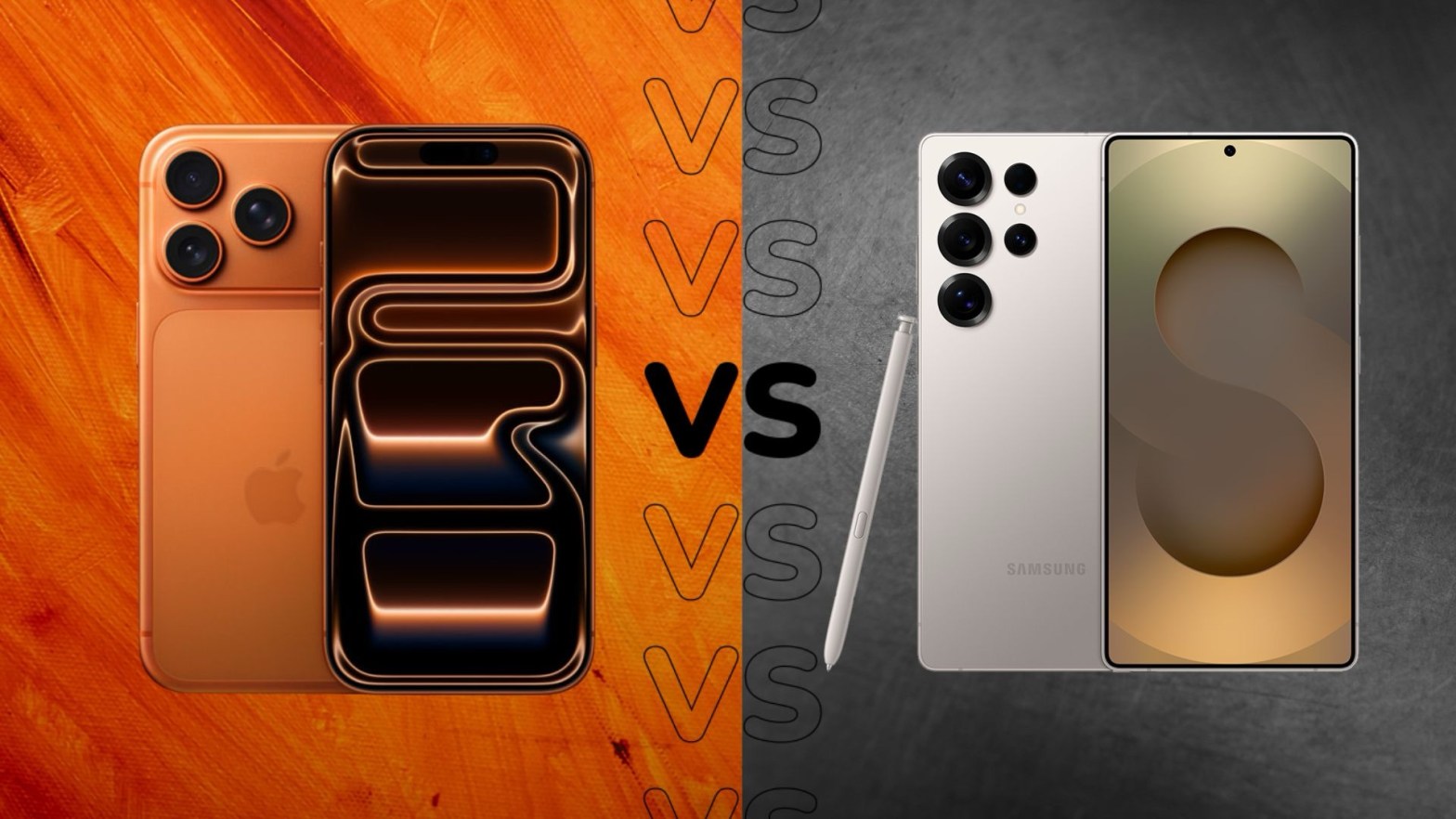
Living with Both: My Honest Take on the Galaxy S25 and iPhone 17 Pro
I’m that person—the one with two phones in my pocket. One Android, one iOS. And over the past few weeks, I’ve been putting the Samsung Galaxy S25 and the iPhone 17 Pro through their paces side by side. Not just reading spec sheets, but actually living with them: shooting photos at concerts, texting in group chats, navigating cities, and trying to keep both batteries alive.
If you’re torn between these two flagships, maybe my experience can help you decide. Spoiler: they’re both fantastic, but they’re fantastic in very different ways.
First Impressions: What Your Hand Notices
The moment you pick up the Galaxy S25, the first thing that hits you is how ridiculously light it is. 162 grams is almost featherweight for a modern smartphone. It’s a 6.2‑inch screen, but it feels smaller in hand—easy to use one‑handed, slides into a jeans pocket without weighing you down. The hole‑punch camera is subtle, and the whole thing feels slim and sleek.
Then you pick up the iPhone 17 Pro. It’s not huge—6.3 inches—but it’s noticeably heavier at 204g. That extra weight gives it a solid, premium feel. The Dynamic Island (the pill‑shaped cutout) is still there, and it’s become genuinely useful for me—showing timers, music, or Uber progress without having to open an app. The screen on the iPhone also gets ridiculously bright; Apple claims 3,000 nits peak outdoor brightness, and I believe it. On a sunny day, I can read the iPhone screen without any squinting. The S25 hits about 2,600 nits, which is still great, but the iPhone wins the outdoor visibility contest.
If you prioritize a light, compact phone, the S25 is the clear winner. If you like a solid, bright screen and you enjoy the Dynamic Island interactions, the iPhone feels more substantial.
Performance: No Slouches Here
Under the hood, both are using cutting‑edge 3nm processors. The iPhone has the A19 Pro, and the Galaxy packs the Snapdragon 8 Elite for Galaxy. I’ve thrown everything at them—gaming, multitasking with split‑screen (on the Galaxy) or Stage Manager (on the iPad, though the iPhone handles heavy apps well), and exporting video clips.
Realistically, both are overkill for 99% of what anyone does. I never experienced a single stutter or app reload on either device, thanks in part to both now having 12GB of RAM. That’s new for the iPhone Pro (non‑Max), and it finally matches the S25.
Where I notice a difference is sustained load. When I’m playing a demanding game like Genshin Impact, the iPhone 17 Pro tends to hold its frame rate longer before any minor throttling. The S25 is a beast, but it can get warm faster, and I sometimes feel it dial things back after 30–40 minutes. On the flip side, the Galaxy’s AI features—especially things like real‑time translation and “Circle to Search”—feel snappier because they’re processed on‑device. So it really depends on what you value: sustained gaming performance, or AI‑powered productivity.
Cameras: A Tale of Two Philosophies
This is where the differences really shine—and where I find myself switching phones depending on the situation.
The iPhone 17 Pro has finally given all three rear lenses a 48MP sensor. That means the telephoto lens is a huge step up—4x optical zoom with excellent quality. For video, Apple is still king. I shot some 4K ProRes footage at a family gathering, and the stabilization, color accuracy, and dynamic range are unmatched. The front camera is now 18MP with Center Stage, which is fantastic for video calls; it actually pans to keep me in frame when I move around.
The Galaxy S25 sticks with a 50MP main sensor and a 10MP telephoto (3x optical). On paper, the iPhone’s zoom wins. But in practice, Samsung’s AI processing often produces photos that look more vibrant and ready to share without editing. Where the S25 really surprises me is in the editing tools. The Audio Eraser feature is a lifesaver—I recorded a video at a busy café, and later I could remove the background chatter and coffee machine noise, leaving just the conversation. It’s not perfect, but it’s shockingly good. There’s also object eraser and AI‑generated fills that feel like magic.
So which one is better? If you shoot a lot of video or want the most natural, color‑accurate photos, the iPhone is my go‑to. If you want to get creative with editing after the fact—removing distractions, cleaning up audio—the S25 gives you tools you just can’t get on iOS.
Battery and Charging: Small Differences, Real Impact
Battery life is always a concern, and here the iPhone edges out. With the A19 Pro’s efficiency, I consistently end a heavy day (lots of 5G, camera use, and streaming) with around 20–30% left on the iPhone. The S25’s 4000 mAh battery is decent, but I often find myself reaching for a charger by early evening if I’ve been using it heavily.
Charging speeds are also slightly in Apple’s favor this time. The iPhone supports 30W wired charging (50% in about 20 minutes), while the S25 maxes out at 25W. Not a huge gap, but it’s noticeable when you’re in a hurry. Both do wireless charging, though the iPhone’s MagSafe ecosystem is more mature—I have a car mount that charges automatically, which is a nice convenience.
Software and AI: Two Different Worlds
This is the biggest philosophical divide. I’ve been using both iOS 26 on the iPhone and Android 15 with One UI 7 on the Galaxy, and they approach “intelligence” very differently.
Samsung’s Galaxy S25 feels like an AI‑first device. The Now Brief feature is a card that shows up in the morning with my weather, schedule, and commute time. It’s smart without being intrusive. Circle to Search (powered by Google Gemini) is something I now use constantly—just long‑press the home button and circle anything on screen to search it. I also rely on Call Assist for live translations when I’m talking to my relatives who speak different languages. If you like customizing your phone with widgets, launchers, and automation (via Good Lock or Tasker), the S25 is a playground.
Apple’s iPhone 17 Pro takes a more privacy‑first, subtle approach with “Apple Intelligence.” It summarizes my notification stacks, prioritizes emails, and suggests text snippets. It’s less flashy, but deeply integrated. If you own a Mac, iPad, or Apple Watch, the iPhone is the hub that ties everything together—I can copy something on my phone and paste it on my Mac instantly, answer calls from any device, and use AirDrop constantly. It’s the ultimate ecosystem experience.
So for me, the S25 feels like a brilliant standalone tool for getting things done with AI assistance. The iPhone feels like the centerpiece of a connected digital life.
Which One Would I Keep?
If someone forced me to choose one, it would come down to what I value most in that season of life.
I’d pick the Galaxy S25 if:
· I wanted a phone that disappears in my pocket and is easy to use one‑handed.
· I loved experimenting with AI tools like real‑time translation, audio eraser, and customizable widgets.
· I preferred a slightly lower upfront cost (the S25 is generally more affordable than the iPhone 17 Pro).
I’d pick the iPhone 17 Pro if:
· I was deep in the Apple ecosystem (and I am—I use a Mac for work).
· I shot video regularly, especially in challenging lighting or with moving subjects.
· I valued that extra bit of battery life and the super‑bright screen for outdoor use.
The truth is, both phones are overachievers. The S25 is the ultimate compact AI companion; the iPhone 17 Pro is the polished, ecosystem‑first powerhouse. If you can afford it, owning both gives you the best of both worlds. But if you have to choose, ask yourself whether you want a device that feels like a clever Swiss Army knife (S25) or one that feels like a seamless extension of your digital life (iPhone).
Let me know in the comments which camp you fall into—or if you’re also carrying two phones like me.
 Tech Nova