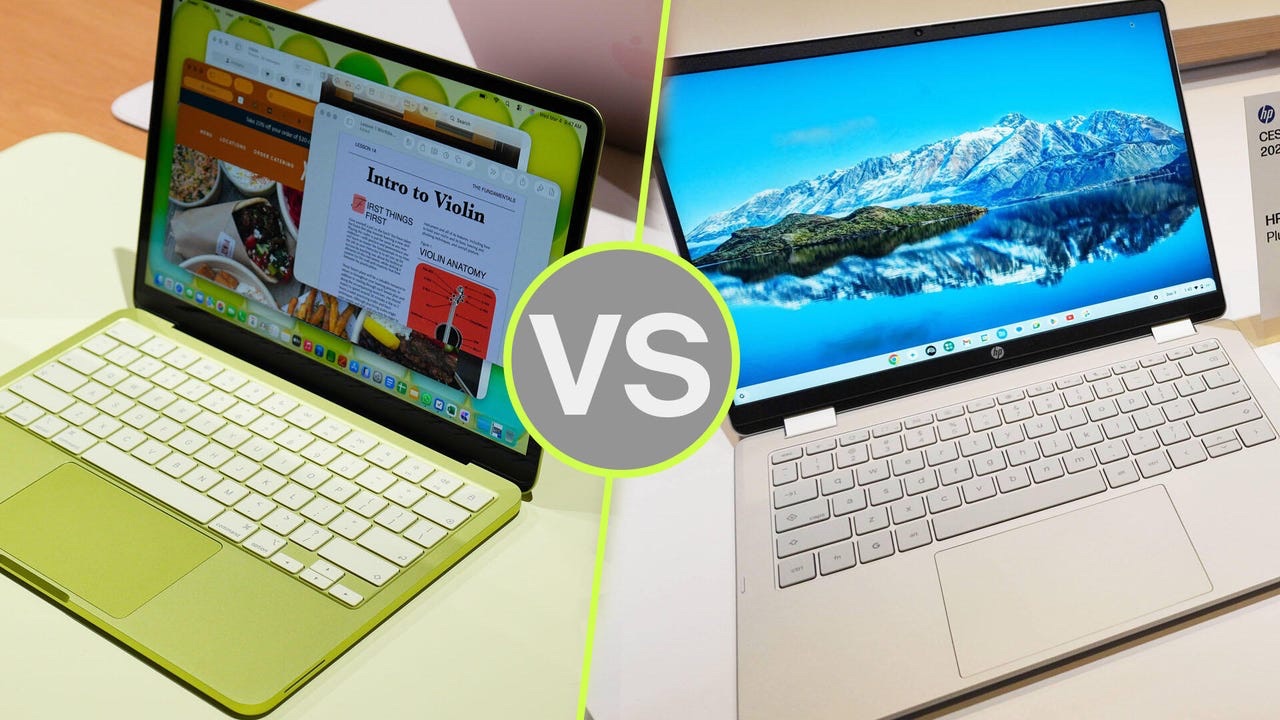
MacBook Neo vs Budget Windows Laptop: A Practical Buyer’s Guide

If you’re hunting for a laptop in 2026, odds are you’re stuck between a cheap Windows laptop and the new MacBook Neo.

Apple rolled out the Neo to take on entry-level PCs and Chromebooks head-on. It’s the lowest-priced MacBook ever, starting at $599 USD (about $799 CAD).

But is it actually better than a budget Windows laptop? Or are you just paying extra for that Apple logo?

Let’s break it down, plain and simple.
Design and Build Quality

Here’s where the MacBook Neo pulls ahead, no contest.

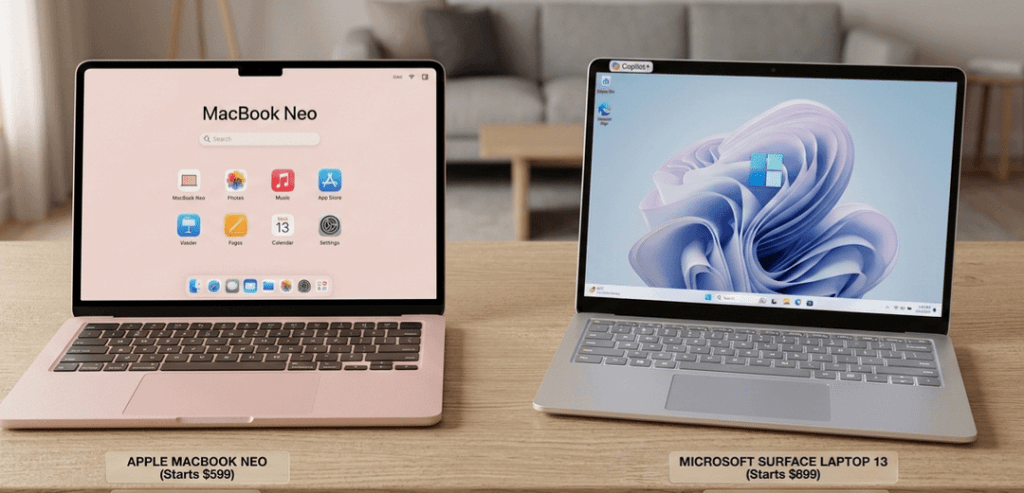
Apple gives you a full aluminum chassis at a price where you’d usually just get plastic. Most cheap Windows laptops feel flimsy in comparison and wear out faster.

It’s light, too just 2.7 pounds. Plus, you get a few color choices: silver, indigo, citrus, and blush.

Most budget Windows laptops cut corners on design. Expect thick bezels, bulkier builds, and keyboards that don’t feel great.

Bottom line: If you care about looks and durability, the Neo wins hands down.

Performance

The Neo runs on Apple’s A18 Pro chip the same powerhouse you’ll find in top-tier iPhones.

For everyday stuff like browsing, editing docs, streaming, and basic photo work, it’s quick and responsive. Apple claims it’s up to 50% faster than some PCs in the same price range.

But there’s something you need to know: the Neo comes with only 8GB of RAM, and you can’t upgrade it.

Many Windows laptops in this bracket let you bump the RAM up to 16GB or more, which is better for multitasking and future-proofing.

So, if your work is light and straightforward, the Neo has you covered. But if you want to upgrade down the road or push your laptop harder, Windows is probably the safer bet.

Battery Life

This is the Neo’s sweet spot.

The fanless Apple chip sips power, so you’re looking at 13+ hours on a single charge. That leaves most budget Windows laptops in the dust, which tend to last 6 to 10 hours and get noisy under pressure.

No surprises here the Neo crushes it on battery life.

Software and Ecosystem

This one really comes down to what you’re already using and what you need.

With the Neo, you get all the perks of macOS: solid privacy controls, apps made to run smoothly, and super easy syncing with your iPhone and other Apple gear.

On the other side, Windows still leads for gaming, business software, and running old-school apps.

If you’re deep in the Apple world, the Neo feels right at home. But if you need the widest compatibility, Windows is the way to go.

Ports and Expandability

Windows laptops take this round.

The MacBook Neo gives you just two USB-C ports and a headphone jack no USB-A, HDMI, or SD card slot. No chance to upgrade storage or RAM, either.

Budget Windows laptops usually offer more: extra ports, sometimes even upgradeable parts.

So, if you need to plug in lots of stuff or want the option to upgrade, Windows wins.

Who should buy the MacBook Neo?

Go for the Neo if you’re a student, a writer, a casual user, or already use a bunch of Apple devices. You’ll get a slick, long-lasting laptop that handles everyday tasks with ease.

Who Should Buy a Budget Windows Laptop?

A Windows laptop makes more sense if you want more ports, plan to upgrade RAM or storage, need to run Windows-only apps, or want to play games.

Final Verdict

The MacBook Neo is easily Apple’s best bang-for-your-buck laptop yet. Premium look and feel, killer battery life, and smooth performance.

But 8GB of non-upgradeable RAM and only a couple of ports mean it’s not for everyone.

If you want something simple, reliable, and portable, get the MacBook Neo. But if you care about flexibility and options, stick with a budget Windows laptop. That’s still the smarter move for a lot of people.


Apple MacBook Buyer’s Guide (2026): Which MacBook Should You Buy?

Introduction

Choosing the right MacBook in 2026 is not simply a matter of buying the newest model. Apple’s laptop lineup now includes several options targeting different types of users from budget buyers to professionals running demanding workloads.

This guide explains the current MacBook lineup, key specifications, and which model is the right purchase depending on your needs.

The Current MacBook Lineup

Apple’s laptop lineup currently includes three primary categories:

MacBook Air (M5) MacBook Pro (M5, M5 Pro, M5 Max) MacBook Neo

Each model is designed for a different level of performance and price.

MacBook Air (M5)

The MacBook Air remains the best general-purpose laptop in Apple’s lineup. It is designed for portability, battery life, and everyday productivity.

Key specifications

Apple M5 chip 13-inch and 15-inch display options Wi-Fi 7 connectivity Up to 14 hours of battery life Starting around $999 USD

The M5 chip delivers moderate performance gains compared to previous generations, including faster GPU performance and improved efficiency. 

Who should buy it?

The MacBook Air is the best option for:

Students Writers and bloggers Office and productivity work Web development Casual photo editing

For most users, the MacBook Air provides the best balance of price, performance, and battery life.

MacBook Pro (M5, M5 Pro, M5 Max)

The MacBook Pro is designed for demanding workloads such as software development, video production, and professional design.

Key specifications

Apple M5, M5 Pro, or M5 Max chips 14-inch and 16-inch models Liquid Retina XDR display Up to 128GB unified memory Up to 24 hours of battery life

These models deliver significantly higher performance for tasks such as video rendering, 3D graphics, and large-scale data processing. 

Who should buy it?

The MacBook Pro is best for:

Video editors Software developers 3D artists Engineers and data scientists Professional creators

If your work relies on heavy applications such as Final Cut Pro, Blender, or Xcode, the MacBook Pro is the correct choice.

MacBook Neo

The MacBook Neo is Apple’s newest entry-level laptop aimed at students and budget buyers.

Key specifications

Lower price tier (around $599–$699) Lightweight design Focus on basic productivity

The Neo introduces improved repairability compared to previous MacBooks, using screws instead of glued components in some areas. 

Who should buy it?

The MacBook Neo is designed for:

Students Light productivity users Web browsing and streaming Basic school or office work

However, it is not intended for demanding creative workloads.

Key Buying Factors

Before choosing a MacBook, consider the following criteria.

Performance

The chip determines the laptop’s overall capability.

M5: everyday productivity M5 Pro: professional workloads M5 Max: high-end creative and technical work

RAM

For longevity, 16GB RAM is recommended for most buyers.

8GB: basic use 16GB: general productivity and multitasking 32GB+: professional workloads

Storage

Storage cannot be upgraded later, so it is important to choose correctly.

256GB: minimal usage 512GB: recommended baseline 1TB+: creative workflows

Which MacBook Should You Buy?

Best for most people:

MacBook Air (M5)

Best for professionals:

MacBook Pro (M5 Pro)

Best budget MacBook:

MacBook Neo

For most buyers, the MacBook Air offers the best combination of portability, performance, and value.

Final Verdict

Apple’s MacBook lineup in 2026 is clearly segmented:

The MacBook Neo targets entry-level buyers. The MacBook Air remains the best general-purpose laptop. The MacBook Pro delivers the highest performance for professional work.

Choosing the right model depends on your workload, budget, and how long you expect the laptop to last.